
Play
New version
The game’s first battle remade for computers and phones: select Isaac, send him with a right click, and draw the fire rune to cast Fireball.
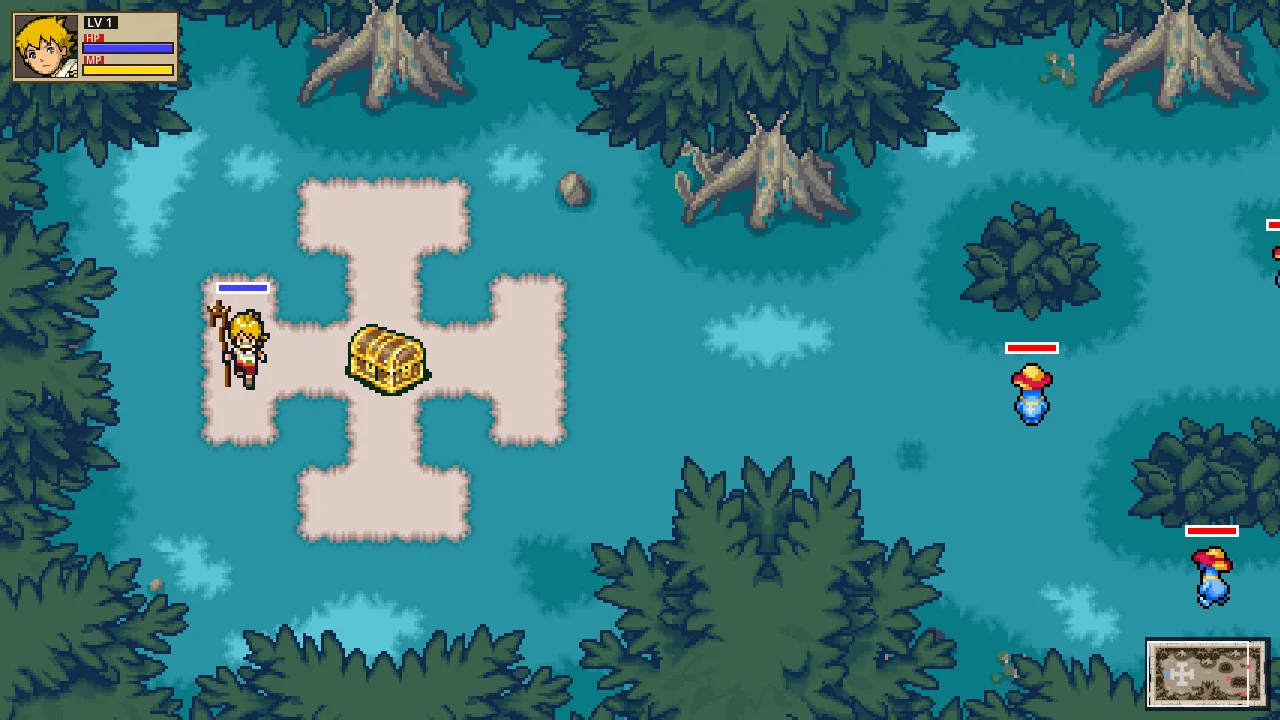
Full screen, nothing to install. With mouse and keyboard or a touch screen.
Download
Version v2026.10.20-18h19m (UTC date and time of the build).
- WindowsYour system64 MBUnzip it and open LostMagic.exe. If SmartScreen stops it, choose More info → Run anyway.
- macOSYour system87 MBUnzip it and open LostMagic. The app is not signed by Apple: if macOS will not open it, go to System Settings → Privacy & Security and choose Open Anyway.
- LinuxYour system54 MBUnzip it and run LostMagic.x86_64 (64-bit).
- AndroidYour system53 MBDownload it on the phone and open it. Android will ask you to allow installing apps from your browser: allow it and go back to install. For 64-bit phones (Android 7 or later).
Earlier versions (49)
- v2026.10.20-18h09m: Windows · macOS · Linux · Android
- v2026.10.20-17h54m: Windows · macOS · Linux · Android
- v2026.10.20-17h43m: Windows · macOS · Linux · Android
- v2026.10.20-17h24m: Windows · macOS · Linux · Android
- v2026.10.20-16h54m: Windows · macOS · Linux · Android
- v2026.10.20-16h37m: Windows · macOS · Linux · Android
- v2026.10.20-16h31m: Windows · macOS · Linux · Android
- v2026.10.20-16h08m: Windows · macOS · Linux · Android
- v2026.10.20-15h25m: Windows · macOS · Linux · Android
- v2026.10.20-15h06m: Windows · macOS · Linux · Android
- v2026.10.20-14h41m: Windows · macOS · Linux · Android
- v2026.10.20-14h19m: Windows · macOS · Linux · Android
- v2026.10.20-13h49m: Windows · macOS · Linux · Android
- v2026.10.20-13h45m: Windows · macOS · Linux · Android
- v2026.10.20-13h34m: Windows · macOS · Linux · Android
- v2026.10.20-13h22m: Windows · macOS · Linux · Android
- v2026.10.20-13h18m: Windows · macOS · Linux · Android
- v2026.10.20-13h03m: Windows · macOS · Linux · Android
- v2026.10.20-12h58m: Windows · macOS · Linux · Android
- v2026.10.20-01h46m: Windows · macOS · Linux · Android
- v2026.10.20-01h35m: Windows · macOS · Linux · Android
- v2026.10.20-01h10m: Windows · macOS · Linux · Android
- v2026.10.20-01h00m: Windows · macOS · Linux · Android
- v2026.10.20-00h58m: Windows · macOS · Linux · Android
- v2026.10.20-00h55m: Windows · macOS · Linux · Android
- v2026.10.20-00h32m: Windows · macOS · Linux · Android
- v2026.10.19-23h01m: Windows · macOS · Linux · Android
- v2026.10.19-22h50m: Windows · macOS · Linux · Android
- v2026.10.19-22h23m: Windows · macOS · Linux · Android
- v2026.10.19-22h14m: Windows · macOS · Linux · Android
- v2026.10.19-21h05m: Windows · macOS · Linux · Android
- v2026.10.19-19h58m: Windows · macOS · Linux · Android
- v2026.10.19-18h43m: Windows · macOS · Linux · Android
- v2026.10.19-17h39m: Windows · macOS · Linux · Android
- v2026.10.19-17h20m: Windows · macOS · Linux · Android
- v2026.10.19-16h51m: Windows · macOS · Linux · Android
- v2026.10.19-16h44m: Windows · macOS · Linux · Android
- v2026.10.19-16h26m: Windows · macOS · Linux · Android
- v2026.10.19-16h05m: Windows · macOS · Linux · Android
- v2026.10.19-16h03m: Windows · macOS · Linux · Android
- v2026.10.19-14h34m: Windows · macOS · Linux · Android
- v2026.10.19-14h28m: Windows · macOS · Linux · Android
- v2026.10.19-14h26m: Windows · macOS · Linux
- v2026.10.19-14h24m: Windows · macOS · Linux · Android
- v2026.10.19-13h58m: Windows · macOS · Linux
- v2026.10.19-13h34m: Windows · macOS · Linux
- v2026.10.19-13h27m: Windows · macOS · Linux
- v2026.10.19-13h05m: Windows · macOS · Linux
- v2026.10.19-12h52m: Windows · macOS · Linux
What it is
The first battle of the game: Isaac in the forest against two waves of Misty Mushes. The rules, the stats, the enemies’ AI and the rune recognizer come from the cartridge, with the data this site publishes.
The controls are those of a real-time strategy game: drag a box to select, right-click to move, the camera follows the edges of the screen and there is a minimap. To chant, hold L (Space) and draw the rune; when you let go, an arrow aims Fireball.
It is a version in development: the tutorial and the sounds are still missing.
Controls
| Action | Mouse and keyboard | Touch screen |
|---|---|---|
| Select Isaac | Mouse and keyboard: Drag a box that touches him, or click him | Touch screen: Drag a finger, or tap him |
| Send him somewhere | Mouse and keyboard: Right-click the ground or the minimap | Touch screen: Tap the ground |
| Move the camera | Mouse and keyboard: Arrows or WASD, the cursor at an edge of the window, or drag on the minimap | Touch screen: On-screen D-pad; drag on the minimap |
| Chant (hold L) | Mouse and keyboard: Hold Space or Q while drawing with the left button | Touch screen: Hold the on-screen L with one finger and draw with another |
| Chant with one hand | Mouse and keyboard: Pressing Space or Q once enters the chant; another press leaves it | Touch screen: One tap on L enters; another leaves |
| Aim Fireball | Mouse and keyboard: After letting go of L, hold the click and drag: the arrow follows the cursor, and letting go fires | Touch screen: The same, with a finger |
| Full screen | Mouse and keyboard: F11 or Alt+Enter | Touch screen: — |
Screenshots
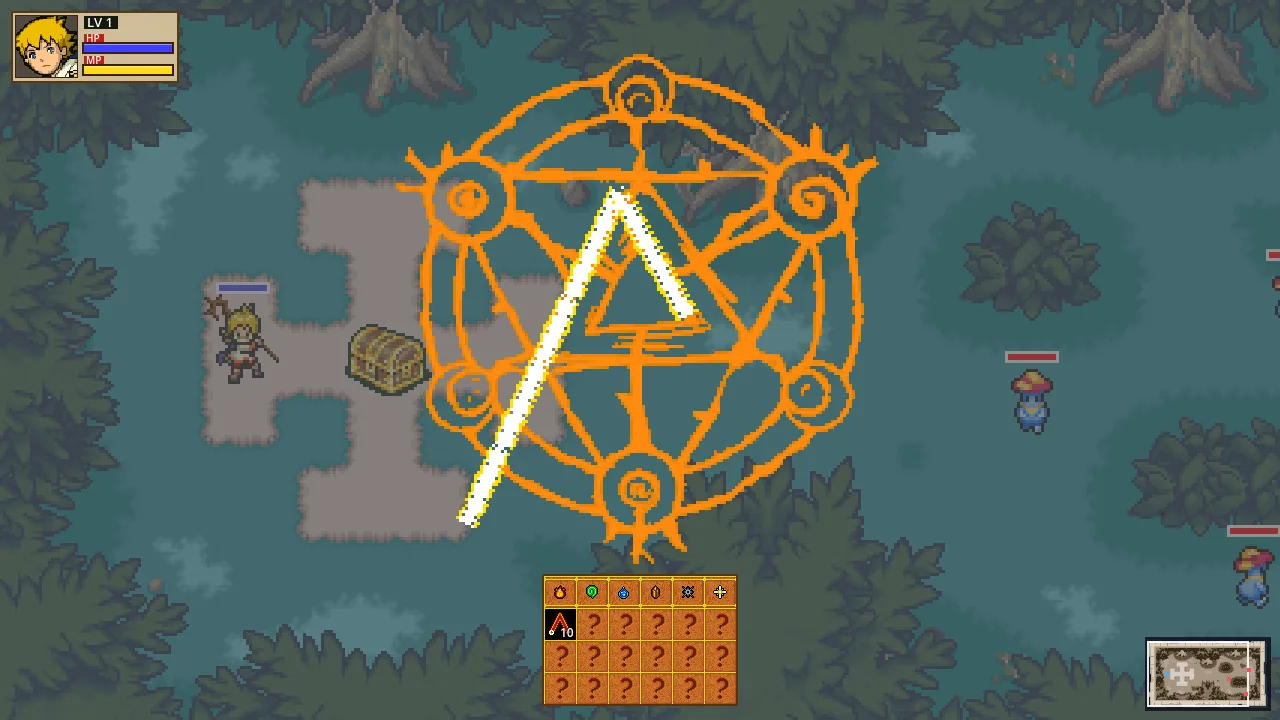
Drawing the fire rune over the magic circle, with the rune bar below 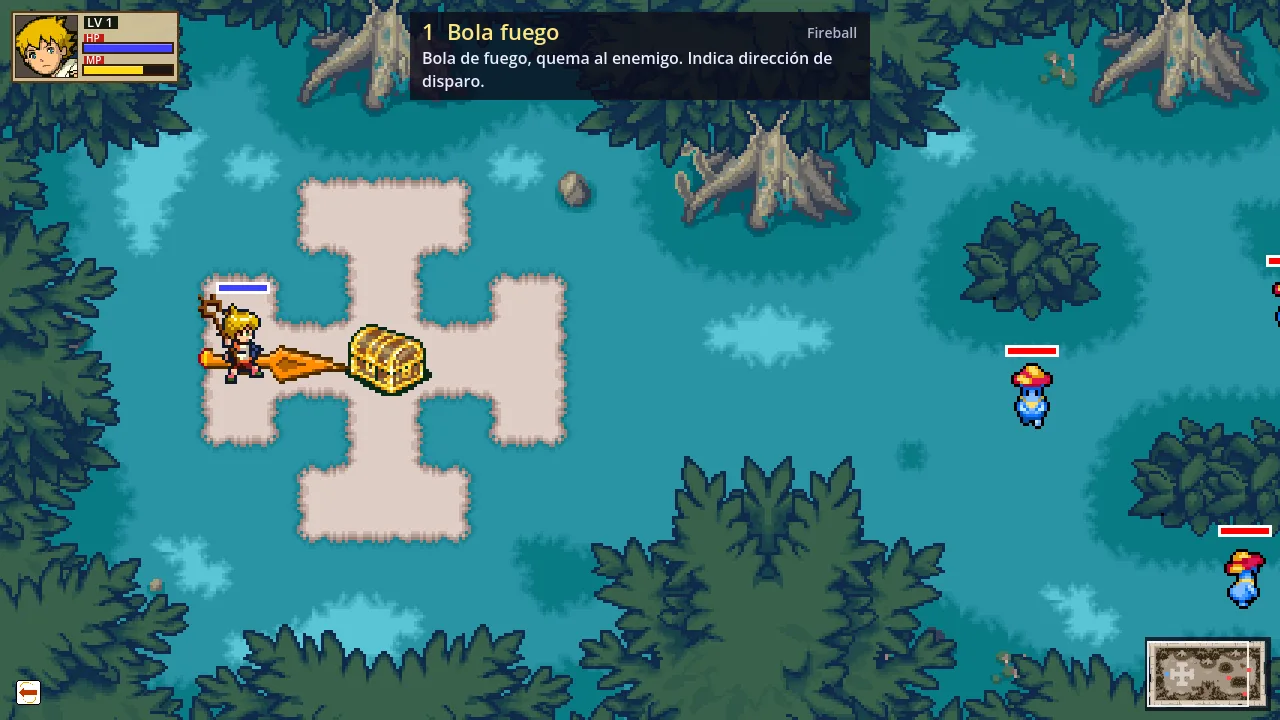
Aiming Fireball with the arrow, and the spell’s card 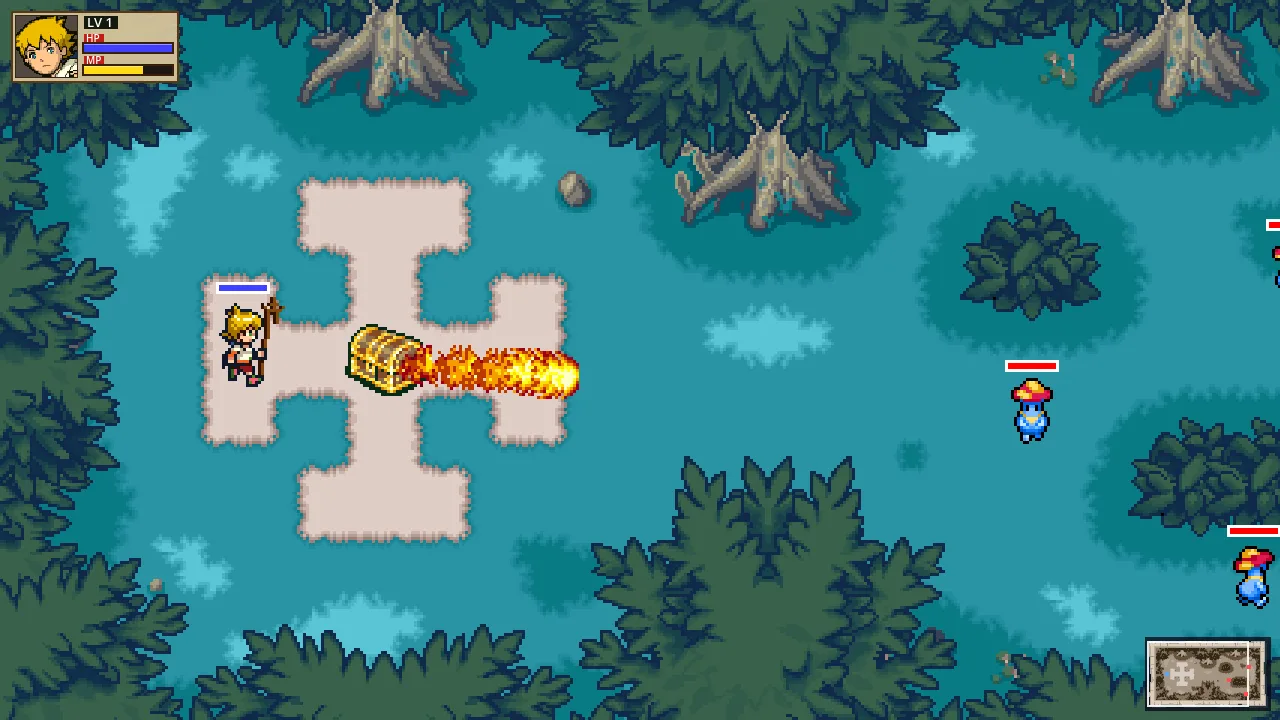
Fireball on its way